Security Awareness
Oops, you clicked on a link in a Phishing Simulation Email. How do you Spot a Phishing Email: “BankMobile Refund” Example
If you clicked a link in a simulated message, you were brought here to learn the warning signs. The example below mimics common refund scams that target students.
Security reminder: Neither Pace University nor BankMobile will ever ask for your password or two-factor authentication (MFA) code via email.
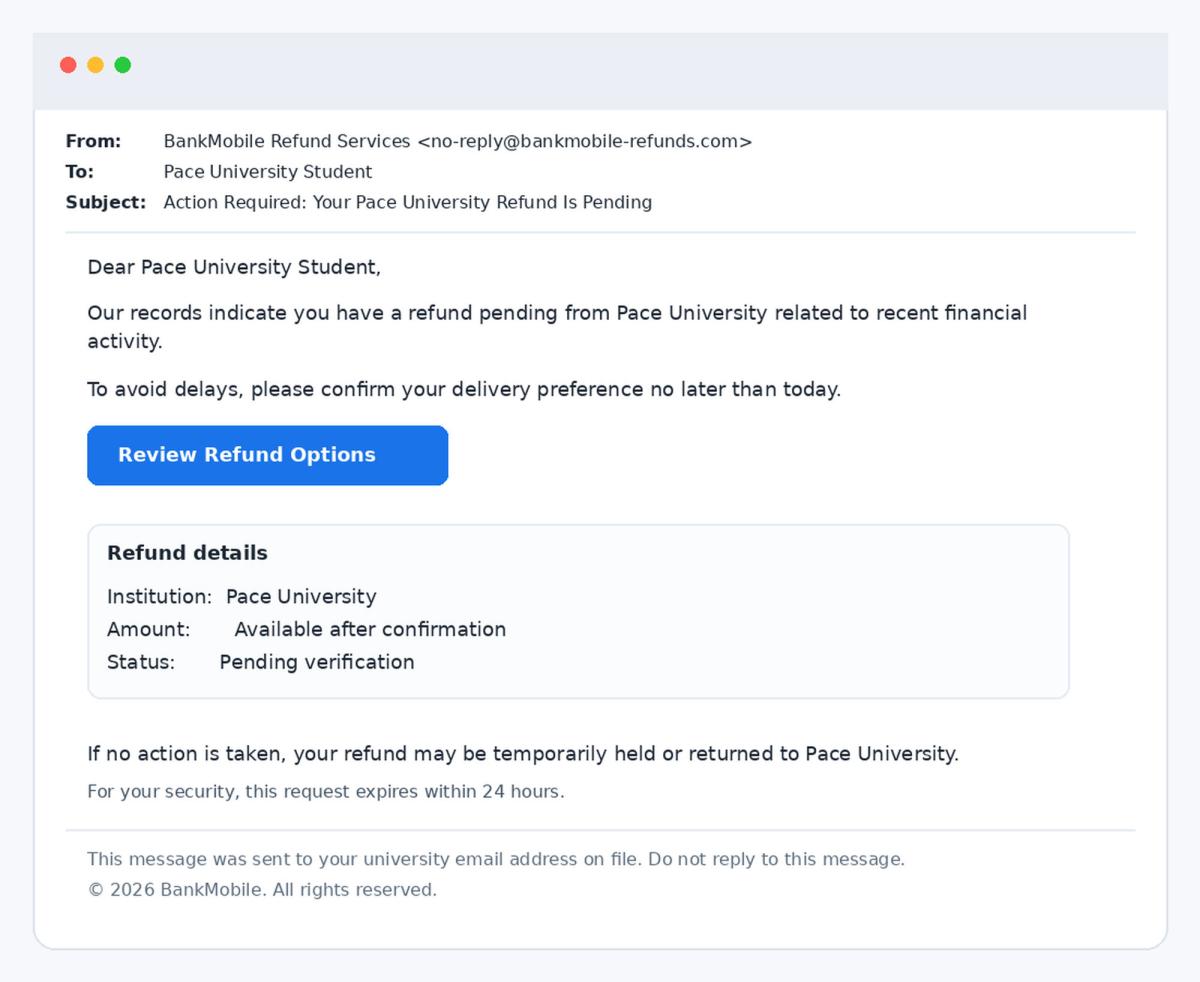
Screenshot of the simulated email
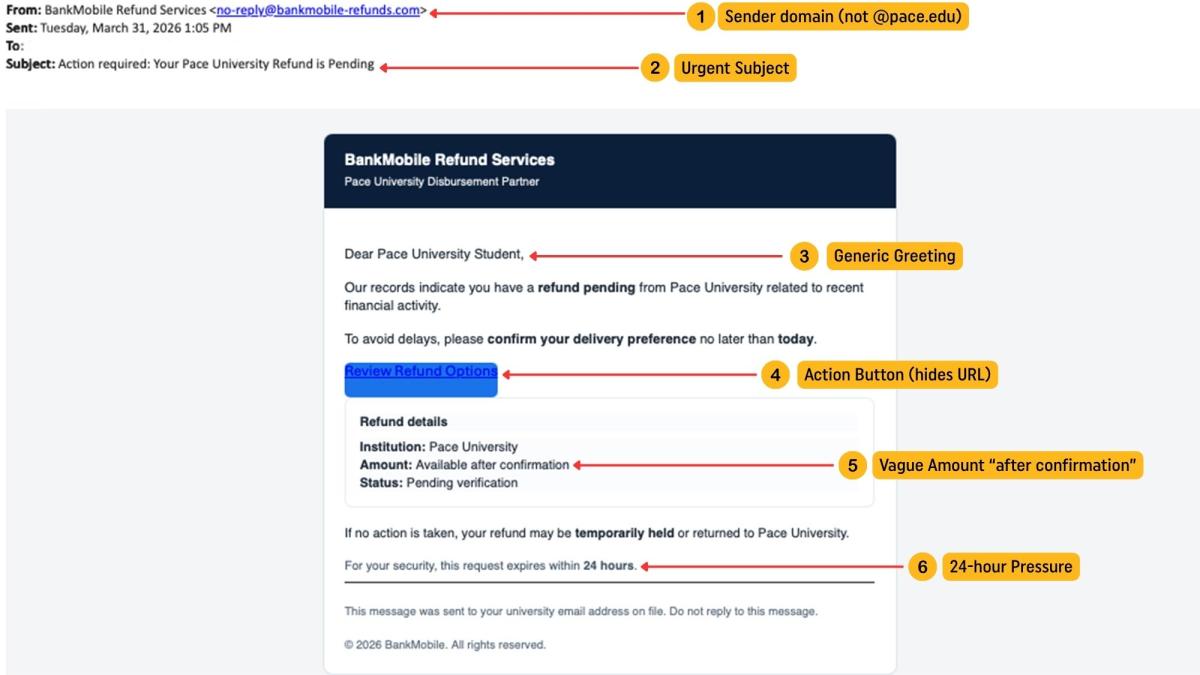
Use these images to review the message structure and where the red flags appear.
Tip: Replace these images with an actual screenshot of your delivered simulation email for maximum realism.
Phishing indicators in this email
- Sender/domain mismatch: The message looks official, but the sending domain may not be a @pace.edu address.
- Urgency / pressure: “No later than today” and “expires within 24 hours” are classic tactics to rush decisions.
- Generic greeting: “Dear Pace University Student” instead of your name.
- Call-to-action button: Buttons can hide the real destination. Always hover/tap-and-hold to preview the URL.
- Vague refund amount: Legitimate notices typically provide clear context and amounts.
- Requests to ‘verify’ or ‘confirm’: Common language used to push users to sign in or disclose info.
What you should do
- Do not reply, click links, or open unexpected attachments.
- Report suspected phishing to the Information Security Office by forwarding the message as an attachment to iso@pace.edu
- If you already interacted with a suspicious message, contact the ITS Help Desk: (914) 773-3333
How to verify refunds safely
When you need to take action on refunds, use trusted navigation: open a new browser tab and go through official Pace pages and your portal—avoid clicking unexpected links in email.
- Pace Auxiliary Services: BankMobile Refunds information page (official guidance and security reminder).
- ITS Spam Alert page (how to report suspicious emails).
Links:
Pace University ITS — Information Security Office · For help and reporting guidance, use official channels listed above.
This page is intended for security awareness training and phishing simulation education.